LinksManagement Guide: How to Find the Right Sites and Place Your Links or Content
Link building may be hard and time-consuming. That is why we constantly improve the LinksManagement products to give you the best up-to-date solutions. Now you can find opportunities across Guest Posts, Backlinks, and Link Insertion Search.
This guide will show you how to work with every product, how to find the best sites, and successfully place your order.
Contents
Getting Started
First, create an account at linksmanagement.com. You could also sign up with the help of your Google, X, or LinkedIn account.
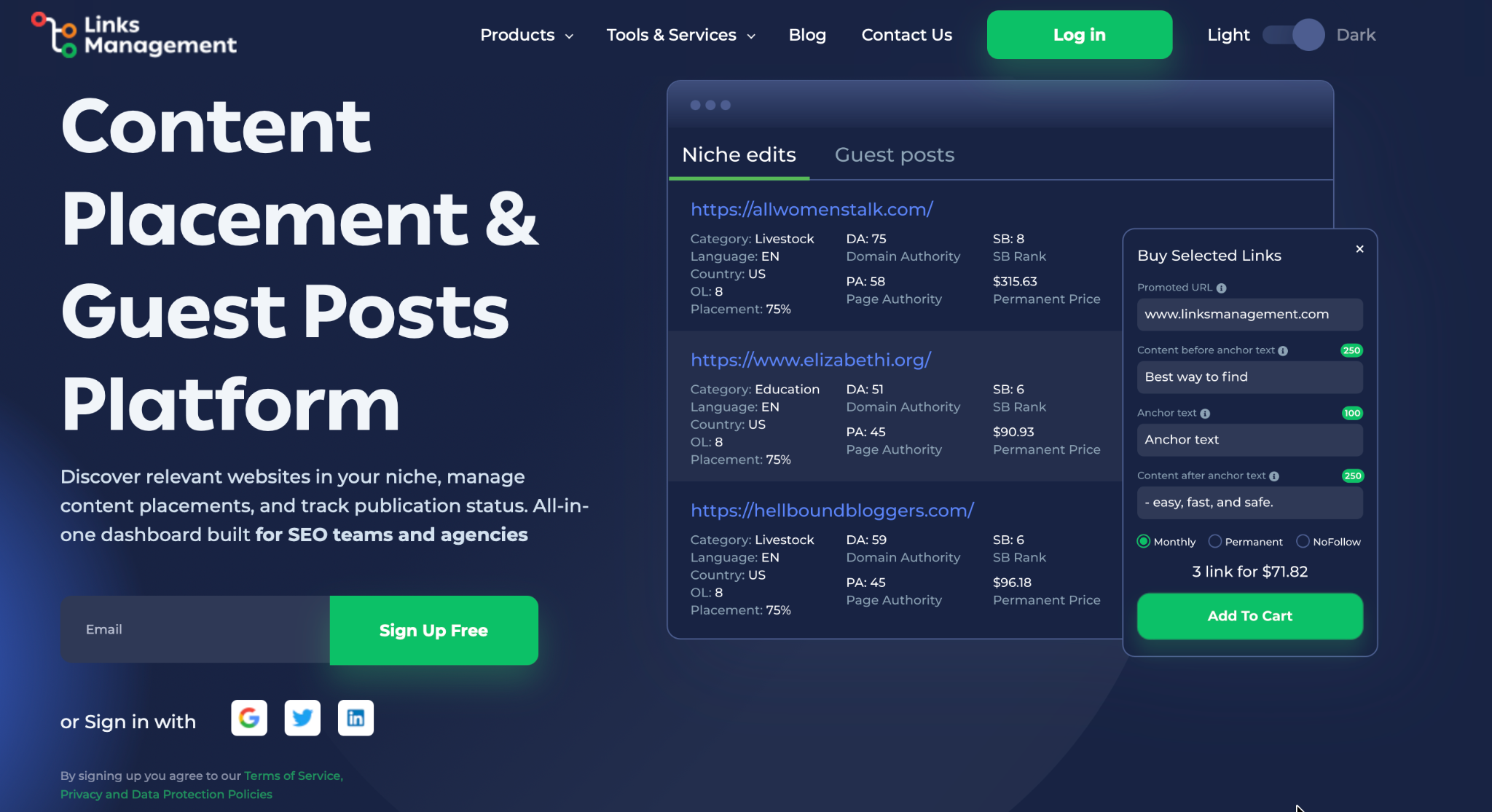
You’ll see three main sections in the navigation: Backlinks, Guest Posts, and Link Insertion. Each product has an additional block section with frequently asked questions. Also, you will find short descriptions near the filters and some features.
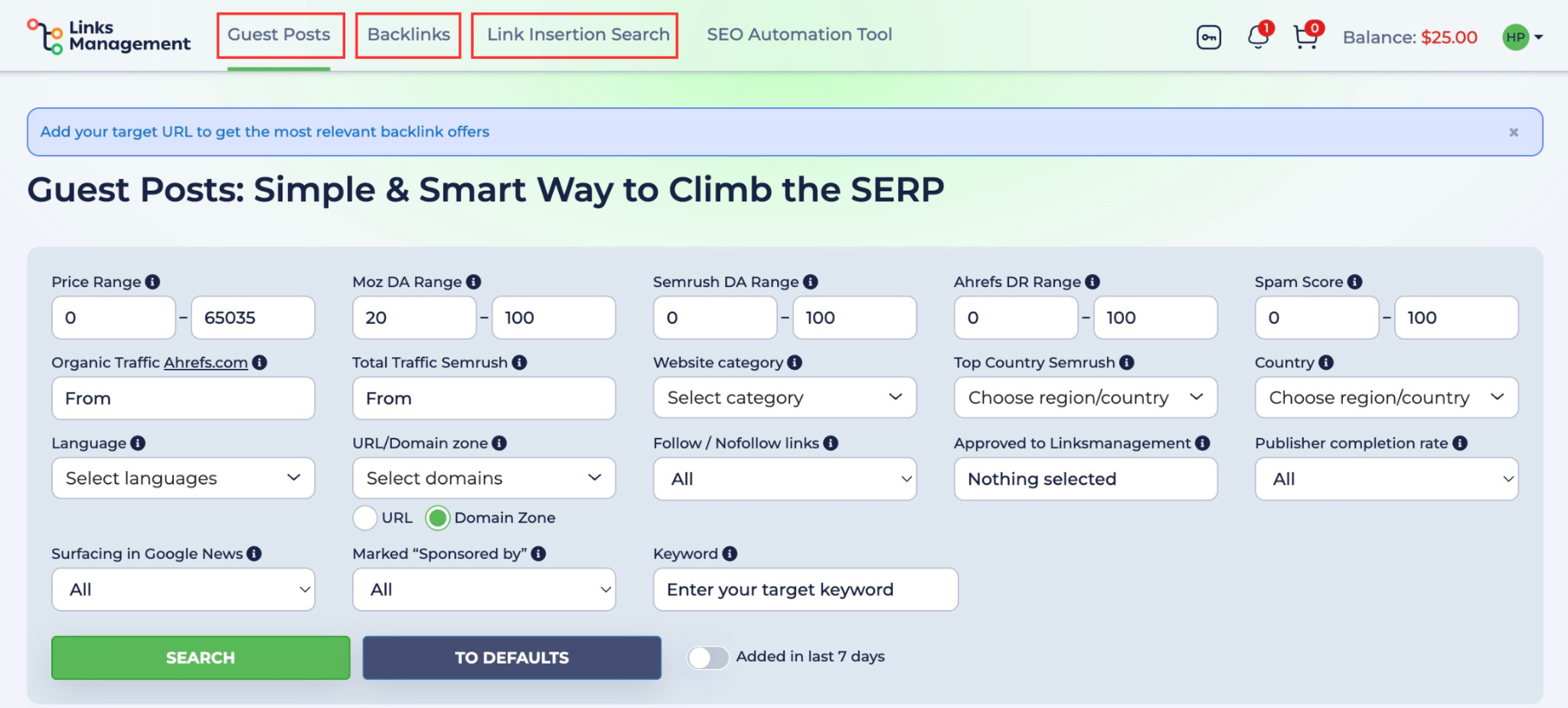
Guest Posts
This product allows you to publish a full article on the other site with your link inside. Actually, it’s the most natural type of link placement, because a real article with your topic and niche is placed on the site you choose.
How to find the right sites for guest posts
First of all, we recommend you search by your category or enter a keyword to find sites that match your topic and niche.
Pro tip: searching by targeted keywords and categories will help you to find the best sites in your category. As a result, your guest post placements will perform better.
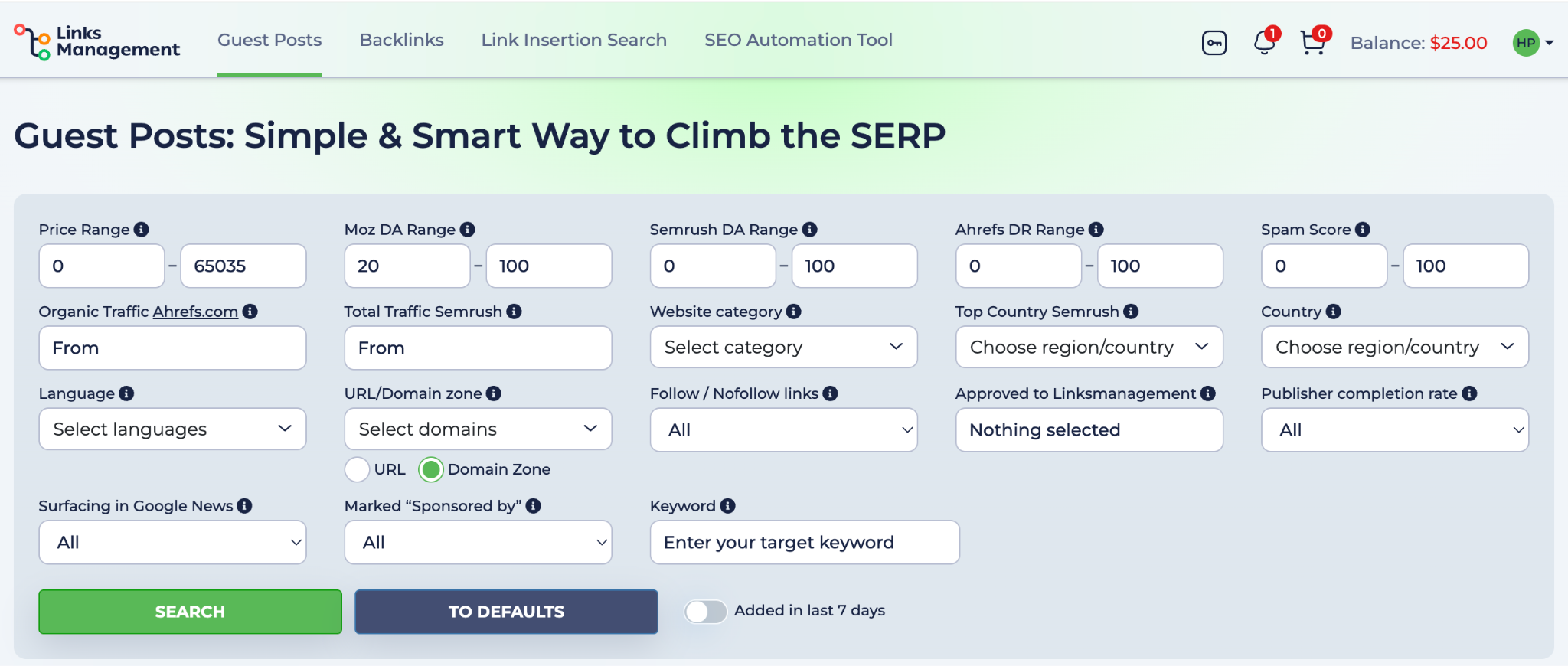
Guest Posts has a few filters worth paying attention to:
- Moz DA / Semrush DA / Ahrefs DR – same cross-check approach as in Link Insertion.
- Publisher completion rate – this is calculated by the platform based on how consistently a site follows through on orders (the higher the rate, the more reliable the site is).
- Marked “Sponsored by” – controls whether the post will be labeled as sponsored.
- Surfacing in Google News – find sites indexed in News for extra reach.
- Added in the last 7 days – shows only the newest sites added to the platform.
Choosing your content option
After applying the filters, you will see the list of sites with 2 buttons: Write content for me, and I’ll provide content.
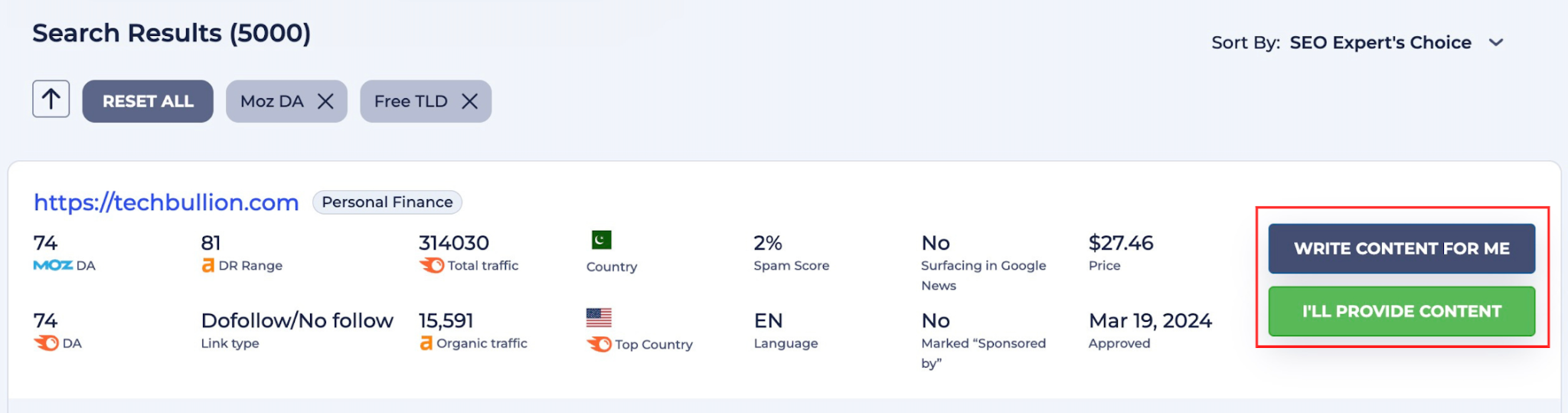
Write content for me: click this button if you want professional copywriters to write the article for you. In the new window, you will see the details of the site: Domain Authority, Language, and Category. You have to provide the URL you want to promote and the anchor text. Then choose the content length and fill in your special requirements. For example: subject, title suggestion, brief requirements, and references.
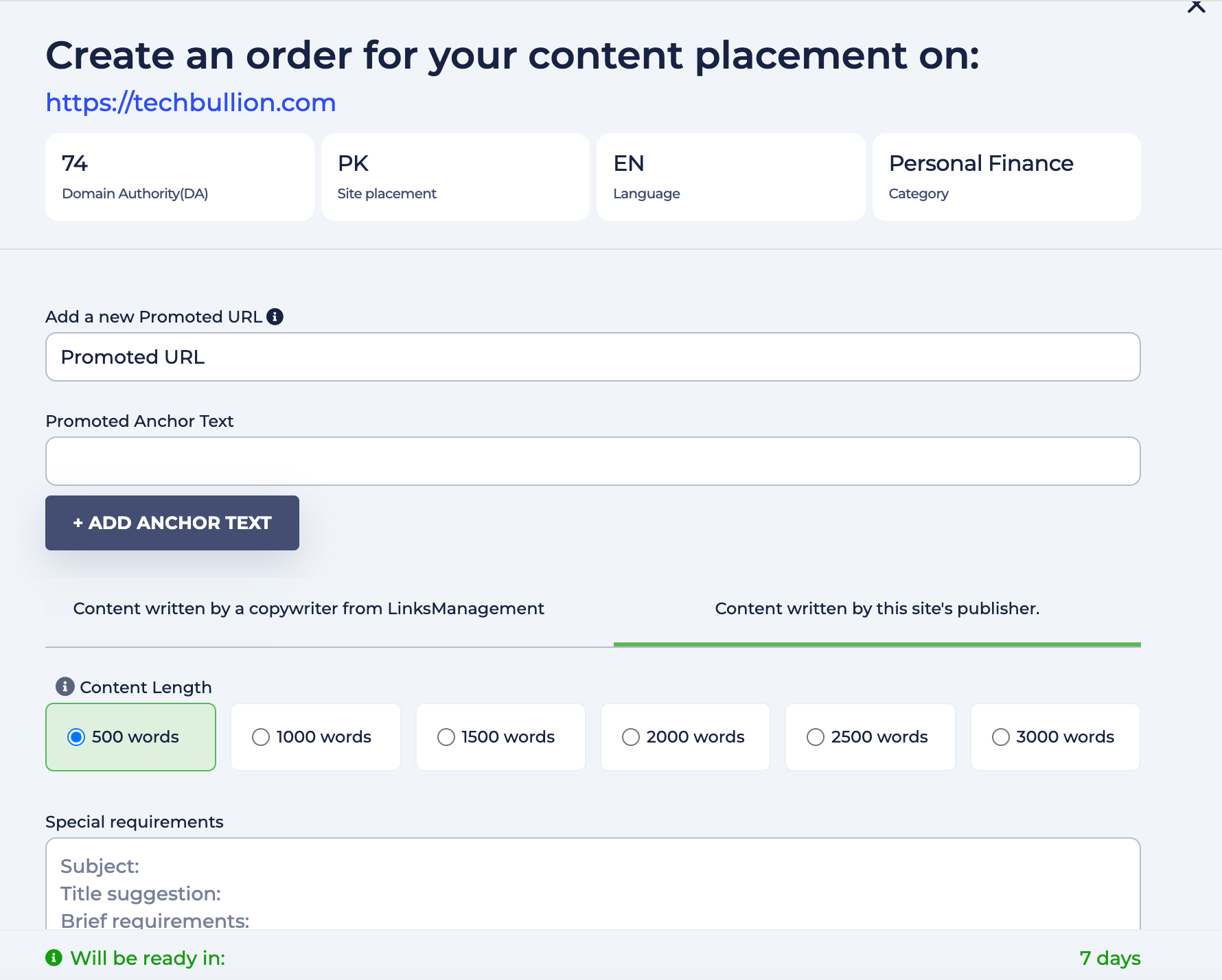
At the bottom, you will see the content price and placement price, as well as how many days the content will be prepared. If everything is okay, click the Place Order button. You will see the confirmation page, and the manager will contact you soon.
I’ll provide content: click this button if you have your own article. In the new window, you have to write the title and article text (from 500 to 3000 words). You will also see the requirements for your content. Please read it carefully: how many links are allowed to be placed, restricted categories, or any other notes from the site owner.
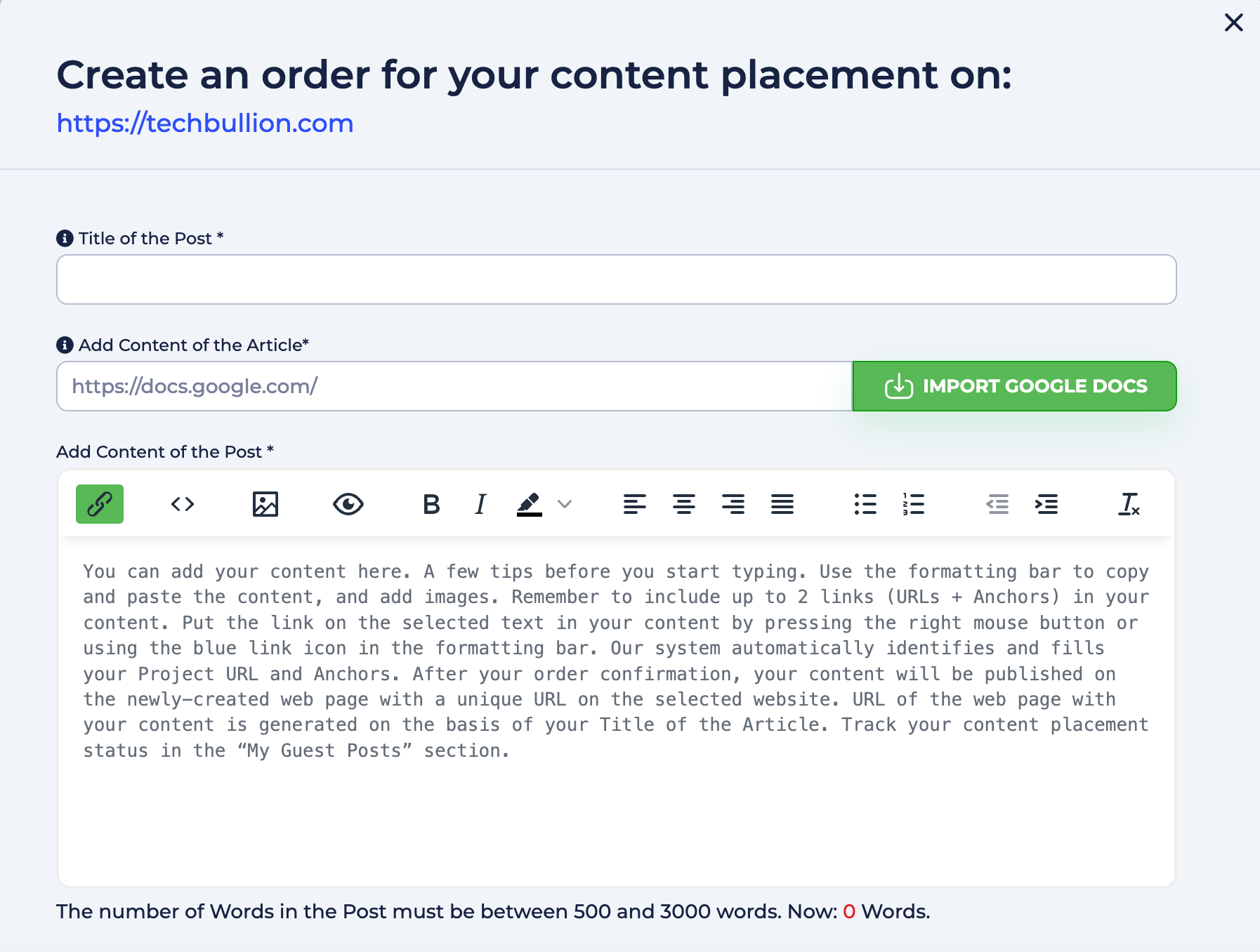
In the confirmation window, you will see all the details one more time. Just check the information, like the promoted URL, anchor, title, and click the Confirm Order button, or Save As draft if you want to come back to your order later.
Pro tip: Don’t underestimate the quality of your guests’ posts, because it shapes how people and search engines perceive your brand. If you don’t have ready-to-publish original articles, rely on our professional copywriters. We will assign you a task to a specialist with experience exactly in your niche.
Backlink Inventory
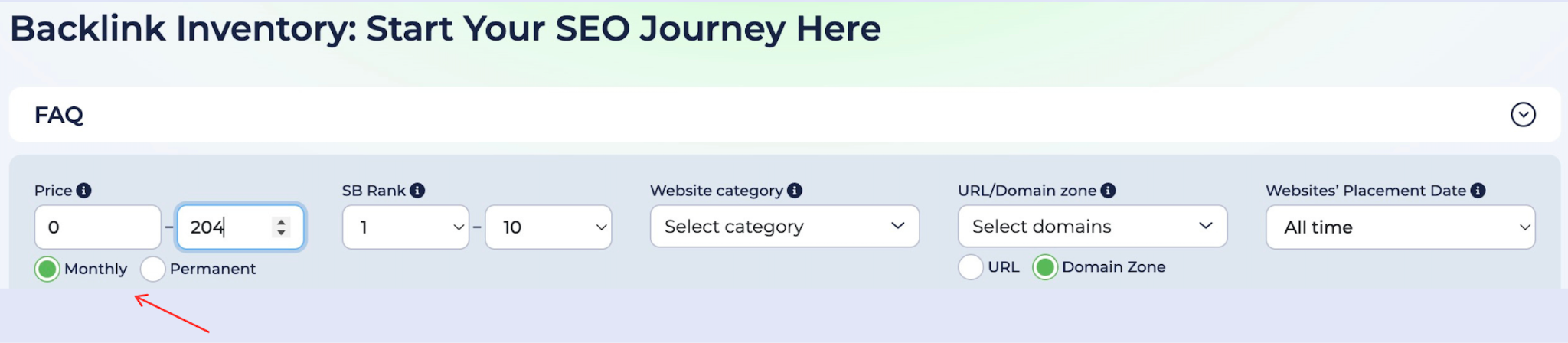
Backlink Inventory allows you to buy links on the site you choose. There are two types of placements on Backlink Inventory:
- Monthly: flexible option where you can pay for one or several months and cancel anytime.
- Permanent: you pay once, and the link stays for a long time.
You could easily choose which type fits you. Just pick the right option under the Price Range box.
How to find the right sites for placing backlinks
Start with the category filters, and the system will show you sites that are most relevant to your topic. If you can’t find your niche in the list, we recommend you type a keyword to see the closest match options.
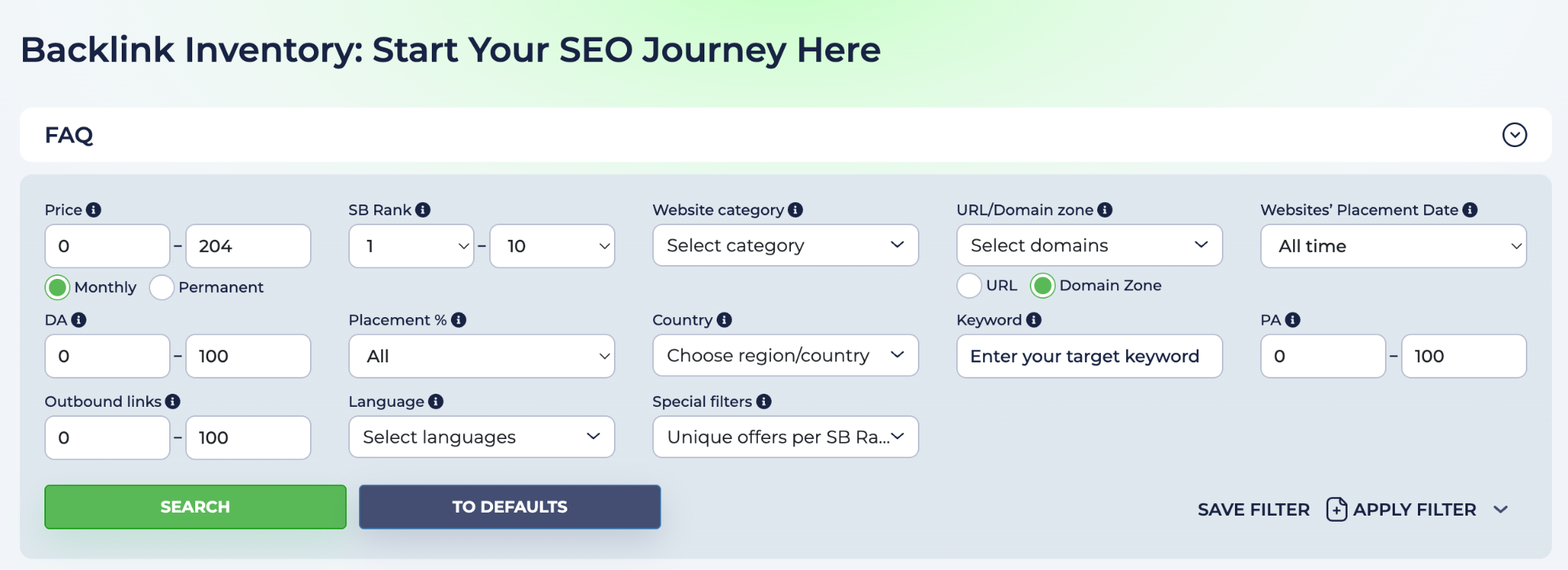
Then narrow your choice with filters:
- Price Range allows you to set your budget.
- SB Rank is LinksManagement’s internal quality score based on DA and PA indexes of the page.
- DA – domain authority.
- PA – page authority.
- Country and Language – helps you target a specific market.
- Outbound links – controls how many other links are on the page alongside yours.
Pro Tip: Start with Price low to high, then filter by SB Rank to keep quality high.
Placing your order
When you apply the filters, the list with the best match will appear. You have to choose the site and click on it to open the order panel.
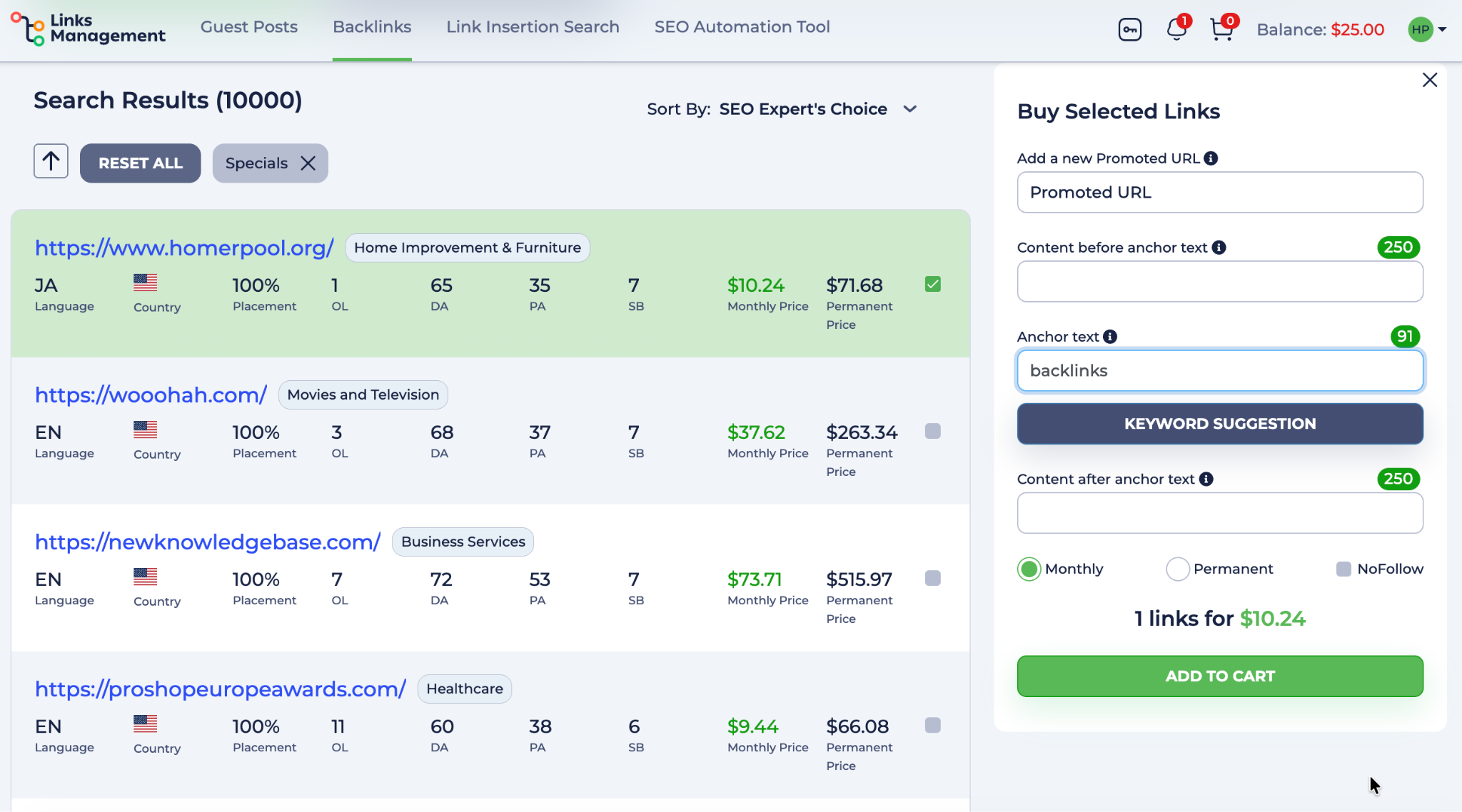
Here’s the information you have to fill in:
- Promoted URL is the page on your site you want to link to.
- Anchor text is the text for your link. You can click the Keywords Suggestion button if you need help.
- Content before and after anchor text – you can add context around your anchor. This helps the link look natural within the existing content on the page.
- Choose your link type: Monthly or Permanent.
Check the final price and click the Add to Cart button if you’re ready. That is it, your backlinks will be placed on the chosen site soon.
Link Insertion Search
Link Insertion means your link is naturally inserted into an existing article that’s already live and indexed. Why is it a good choice? Because placing links on pages that already have history and traffic tends to show better results in search.
But it is important to find pages that match your niche and topic. We will show you how to do it easily.
How to find the right site for link insertion
The first thing you’ll notice is a keyword search bar. Enter a keyword, and the system will show you the most relevant pages where your link fits naturally.

You can also search by filters alone or enter a specific URL to find exact placement opportunities. There are 10+ advanced filters to help you find the most relevant opportunities.
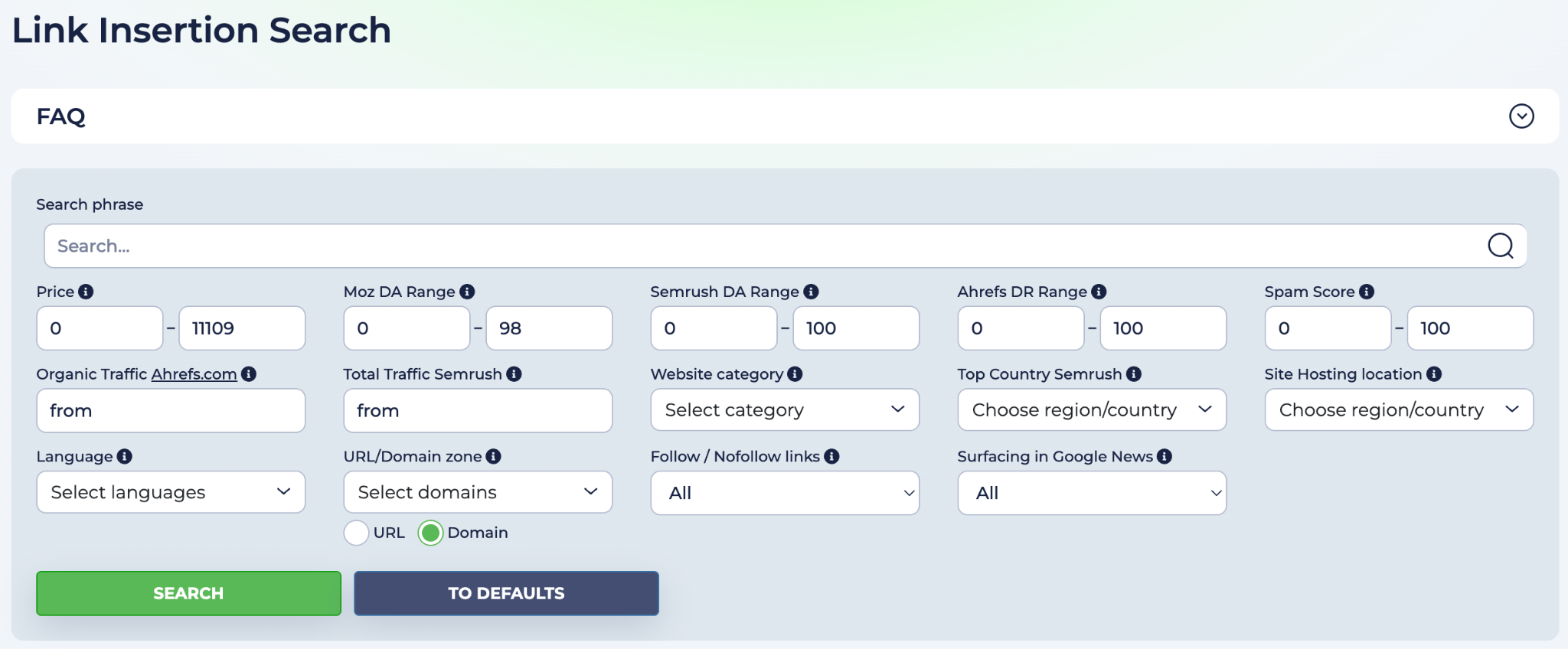
- Moz DA / Semrush DA / Ahrefs DR – shows the level of domain authority according to the data from three well-known SEO tools.
- Spam Score – allows you to filter risky domains (a result that is under 30% is a low spam score)..
- Organic Traffic (Ahrefs) – confirms the page actually gets real visitors.
- Follow / Nofollow – allows you to choose the link type that fits your strategy (a diverse link profile is the best decision).
- Surfacing in Google News – allows you to find pages that appear in News results for extra visibility.
- Country and Language – helps to find the most relevant geo-targeted pages.
Pro Tip: apply different quality metrics, like Moz DA, Semrush DA, and Ahrefs DR, to cross-check domain quality.
Choosing the exact page
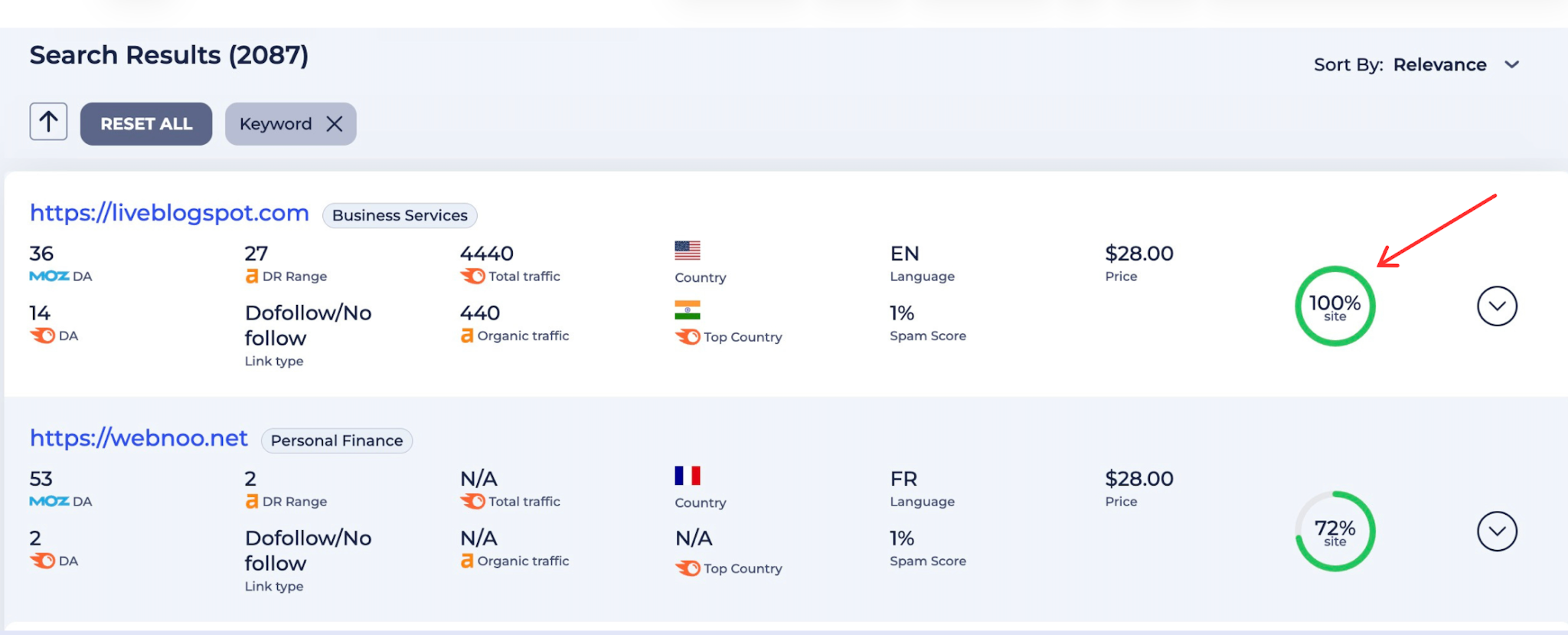
When you apply your filters, you will see the list of sites with the best match to your request. You can notice that each site has a special topic relevance score (% site). It shows how close this domain is to the keywords you applied.
If you expand the chosen site, you will see individual pages: /home, /blog, /forum, /contact us. Each page contains a short content preview. It helps you to see where exactly your link will appear and whether the context makes sense, even before you make a final decision.
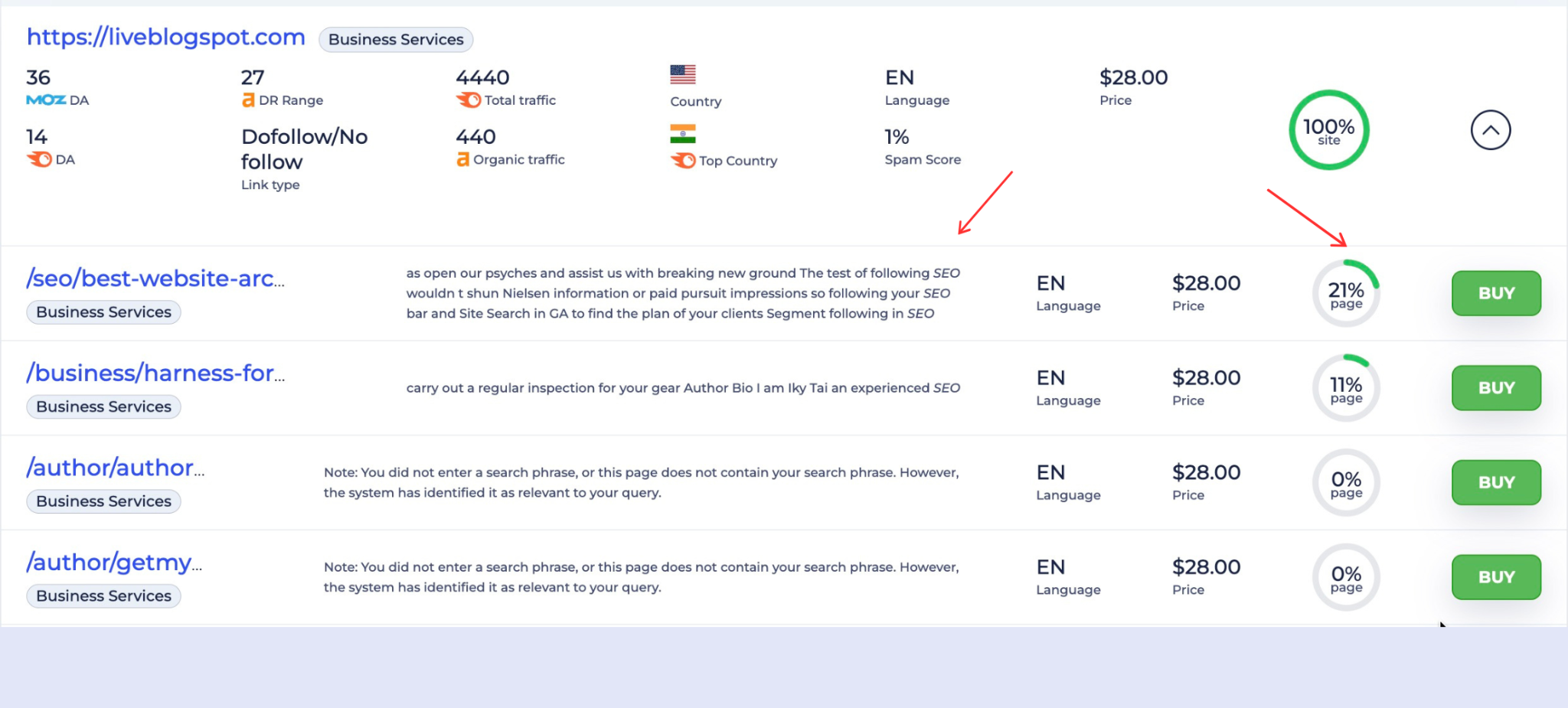
* For illustration purpose only
Pro tip: Сhoosing the page that best matches your content topic: /blog and /forum pages tend to be the most visited.
Placing your order
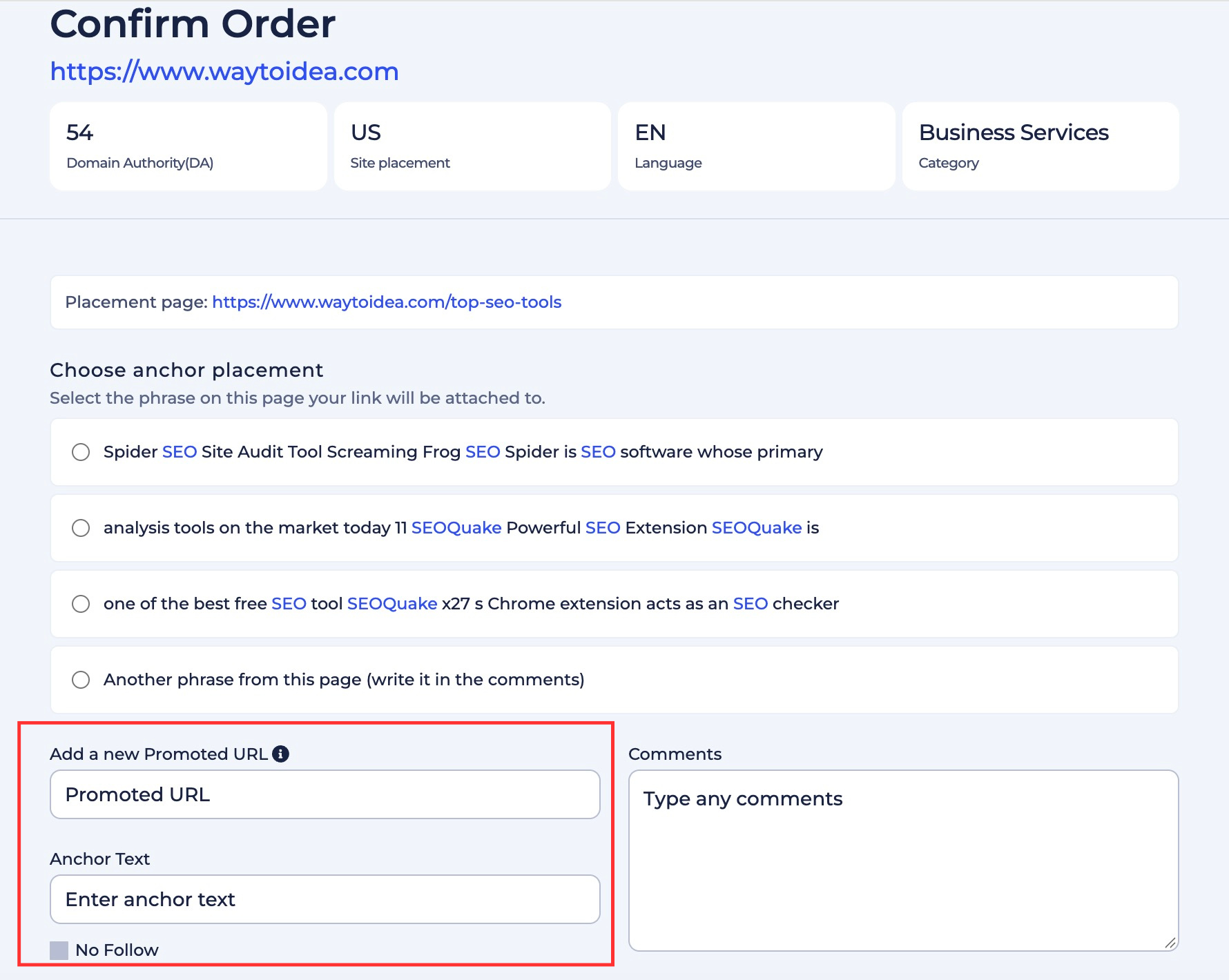
When you decide which page to choose, the confirmation screen with the key details will appear. It contains metrics like Ahrefs DR, organic traffic, and the exact URL where your link will appear.
The most important step is choosing the anchor. The system will show you real sentences from the article so you can pick the phrase for your link or even write another phrase from this page. You will also see the recommendation, which will help you make the final decision.
* For illustration purpose only
Then add your Promoted URL, anchor text, any comments if needed, and hit the Make Order button. That is it! Finally, you will see a confirmation page, and the manager will contact you soon.
SEO automation tool
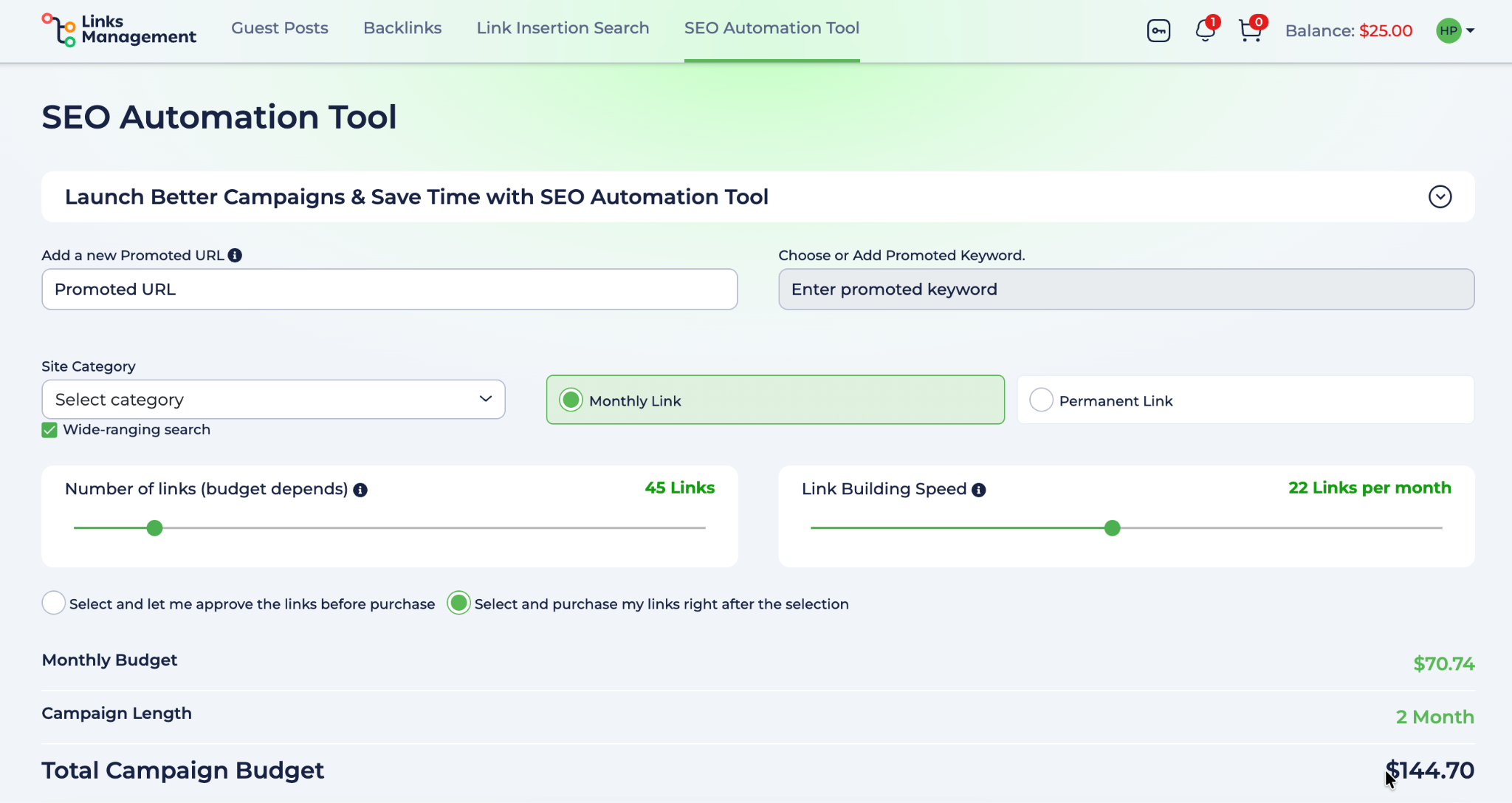
It’s possible to put the process of getting links on autopilot with an SEO automation tool. Just add your promoted URL, enter keywords, select a category, choose a monthly or permanent placement option, the number of links you prefer, and start your campaign. The system will automatically find relevant opportunities in your niche.
You can choose either to approve links before purchase and take full control, or allow purchasing right after the selection process.
Final words
Link building doesn’t have to be complicated. LinksManagement is designed to do it easily and efficiently, no matter what product you choose: backlink, inserting links into existing content, or publishing full articles as guest posts.
Choose products according to your SEO strategy, and don’t forget to use advanced filters, which will help you to find the best sites in your niche and reach your audience. It will help you to achieve your goals and to increase your visibility over time.
Ready to start? Create your account and place your first links or articles on the chosen sites today!
Related Posts
Published Apr 29, 2026

Published May 13, 2026

Published May 20, 2026

Published Mar 18, 2026
Last updated Mar 27, 2024 | Published May 18, 2015
Last updated Mar 27, 2024 | Published May 12, 2013
Enter URL & See What We Can Do Submit the form to get a detailed report, based on the comprehensive seo analysis.